This article outlines best practices for creating and authoring SCORM content, so learners can access and complete modules, quizzes, and videos reliably across devices.
On this page
- Ensuring learner progress is recorded
- Guiding learners through and after a module
- Maintaining learner connection
- Avoiding Flash-only modules
- SCORM vs video
- Designing for different screen sizes
- Testing your SCORM content
- Troubleshooting
Ensuring learner progress is recorded
SCORM content must report progress back to the LMS for completion and scores to be saved. If progress is only reported at the end of a module, learners risk losing their work if they exit early or encounter an issue.
Configure your authoring tool to report progress regularly throughout the module, not just on completion.
You should also include a clear completion or exit action (for example, an Exit Course button). This ensures the LMS receives the final progress update.
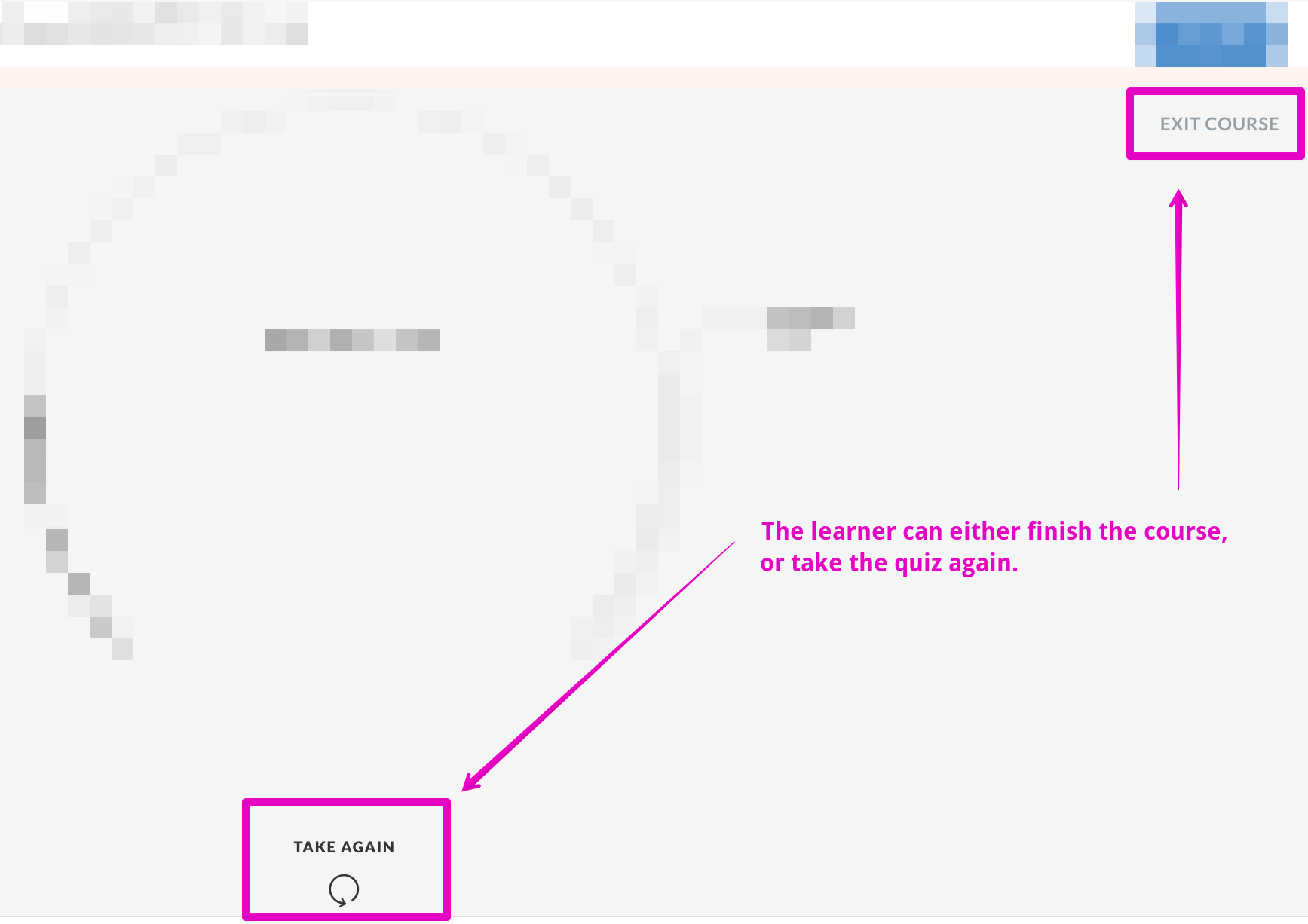
Provide a clear exit action so progress is properly recorded
Without an explicit exit or completion trigger, learners may finish a module but not receive full completion credit.
Guiding learners through and after a module
Learners should always understand what to do next—both during and at the end of a module.
- Provide clear instructions for navigation and interactions
- Display a clear completion message
- Prompt learners to exit or return to the portal
Clear guidance reduces confusion and increases the likelihood that completion is properly recorded.
Maintaining learner connection
SCORM tracking relies on a stable browser session and internet connection. If a learner’s connection drops or the session times out, progress may not sync correctly.
- Leaving a module open for long periods without interaction
- Switching networks or devices mid-session
- Putting a device to sleep while a module is open
To reduce these issues:
- Keep modules between 15–30 minutes
- Add periodic interactions (for example, a click or quiz every ~20 minutes)
- Encourage learners to relaunch modules after breaks
Avoiding Flash-only modules
Flash is no longer supported in modern browsers. SCORM packages that rely on Flash may fail to load entirely.
Flash-based content may not load in modern browsers
Always publish SCORM content using HTML5 output.
SCORM vs video
SCORM packages and standalone video files serve different purposes.
- SCORM: use for tracking, quizzes, and completion
- Video: use for simple viewing without tracking
If your content is only a video, uploading it directly is often simpler and performs better.
If you do embed video in SCORM, use web-friendly formats (for example MP4 with H.264) to ensure compatibility across browsers.
Designing for different screen sizes
Ensure your SCORM content works across desktops, tablets, and mobile devices.
- Avoid fixed-width layouts
- Avoid small or unreadable text
- Avoid tightly spaced interactions
Testing your SCORM content
Always test your SCORM package before releasing it.
- Complete it as a learner would
- Verify tracking and completion
- Test across browsers and devices
You can also validate using SCORM Cloud.
Troubleshooting
Progress not updating after completion
- No explicit completion or exit action
- Learner closes browser before completion triggers
Module opens as blank or gray screen
- Flash-based content
- Unsupported video formats