Account Projects help you manage long-running framework agreements with customers. You create projects on customer accounts to track training delivery, invoicing, and profitability across the life of the agreement.
This feature is designed for training companies that sell multi-year contracts to large organizations: you set pricing up front, deliver training over time, and track performance at the project level.
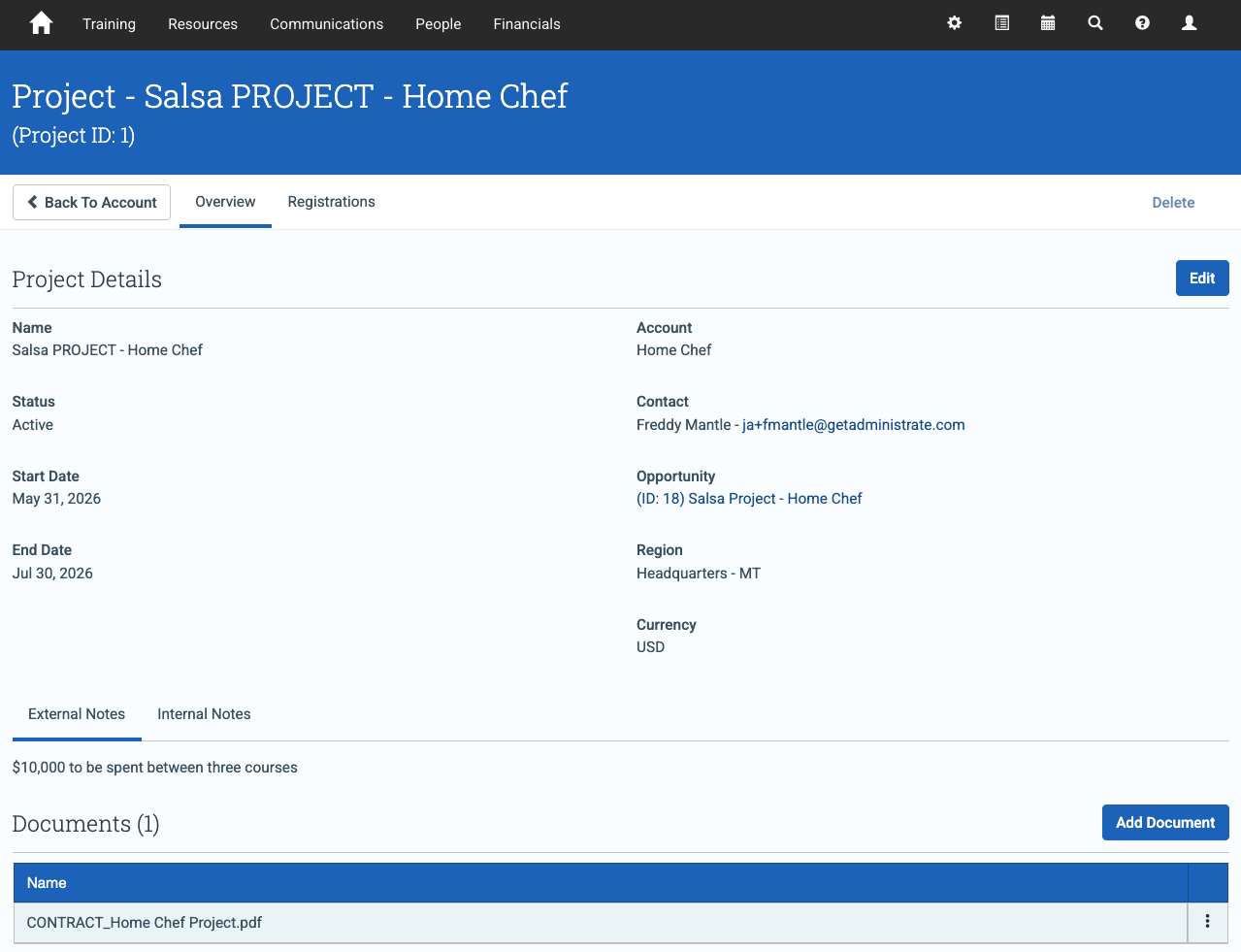
Overview
Each project lives on a customer account and acts as the container for everything delivered under that agreement. A project can include:
- A main contact
- Products you provide
- Internal and external notes
- Documents (for example, contracts)
- A date range
- A link back to the original booking
As your customer requests delivery, you add registrations and items to the project. You can invoice registrations individually, in groups, or in bulk. You can then report on revenue, costs, and profit by project.
How it works
1) Set up your agreement
Start with a Booking that represents the framework agreement. Add interests to represent your agreed price list, and attach supporting documents (for example, signed contracts).
2) Create your project
On the customer account, open the Projects tab and create a new project. Add the key details such as:
- Name
- Date range
- Main contact
- Opportunity/booking link
- Region and currency
- Internal and external notes
Once saved, the project appears on the account and you can begin adding documents and registrations.
3) Add demands
As the customer requests training against the agreement, add those requests as registrations to the project.
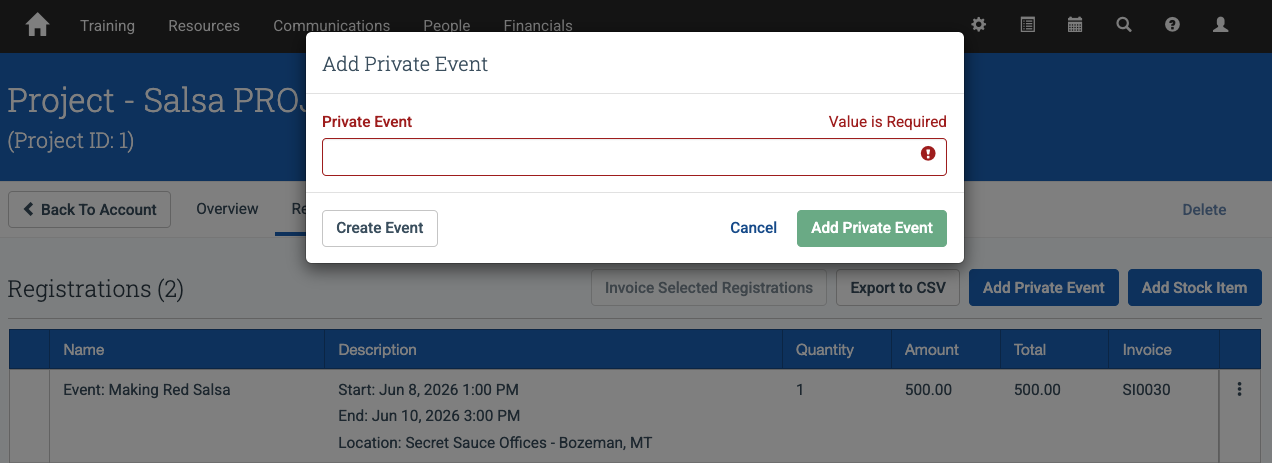
Each registration appears in the project view, giving you a running record of what has been delivered.
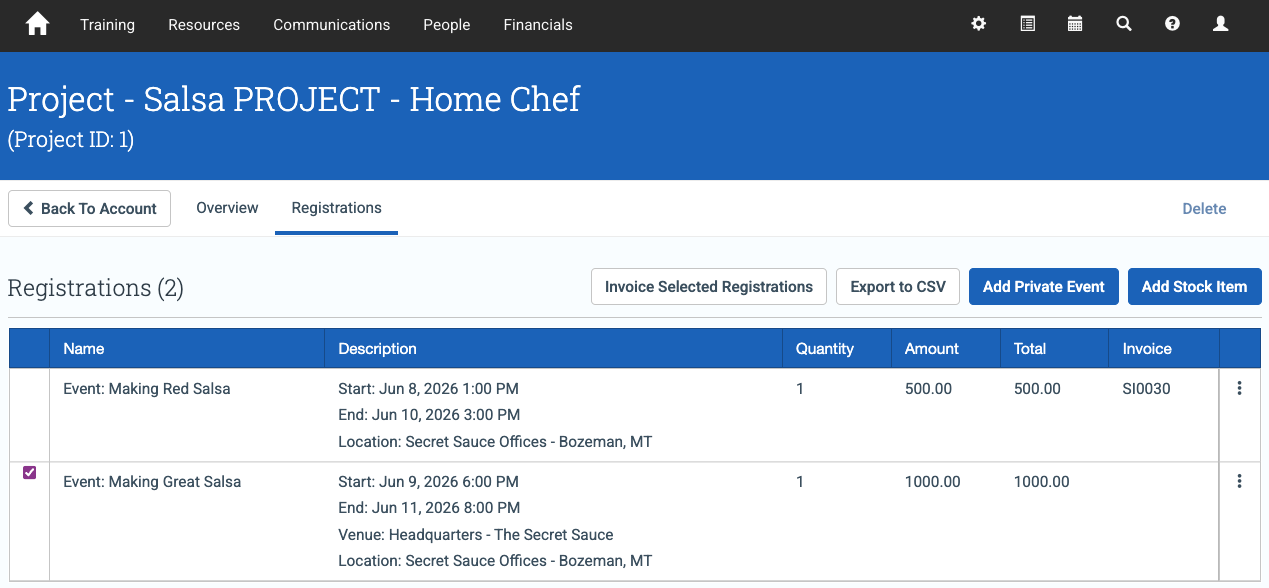
4) Invoice
Select the registrations you want to invoice, then generate invoices for multiple registrations at once (where enabled by your configuration).
5) Report
Export project data as a CSV, or build custom reports to track products sold, costs, revenue, and profit by project. This can also support reconciliation with external accounting systems.
Notes and limitations
- Projects work with private events and items used for custom training packages under framework agreements.
- Projects do not handle public events or learning paths, which are pre-arranged offerings.
- You can only add projects to accounts that are not marked as Individual accounts.