What’s New
Coming Soon: A Smarter Import Data Experience
We’re excited to share a major upgrade to Import Data, arriving Tuesday, June the 16th. This update makes importing your data faster, easier, and far less error-prone.
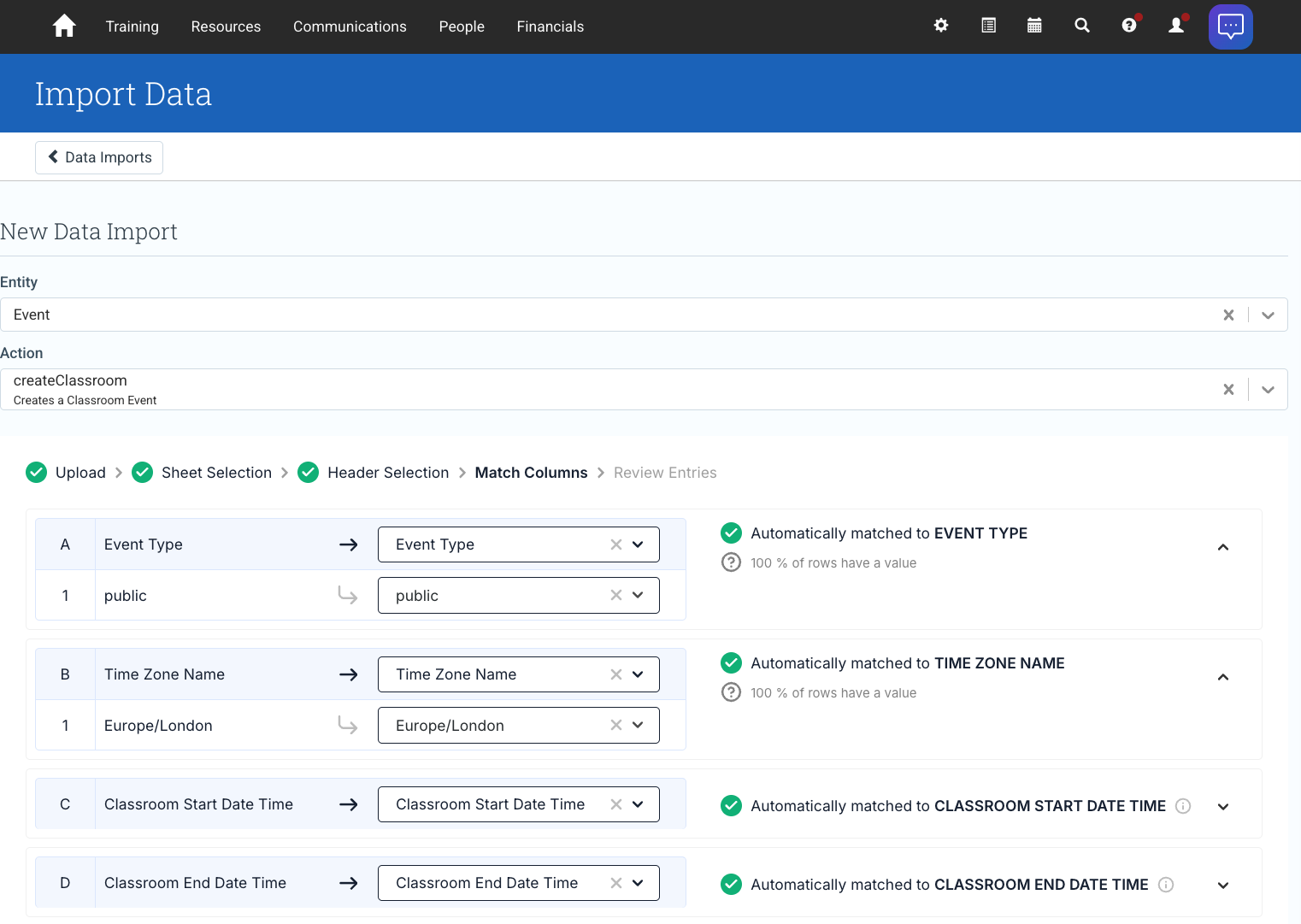
Here’s what’s changing:
- You can use our provided template, or upload your own file when importing data.
- When using the provided template, List and Option fields show a dropdown of valid values, so you always know what to enter.
- Smart Header Matching automatically recognizes your column headers and values, even if they don’t exactly match our template.
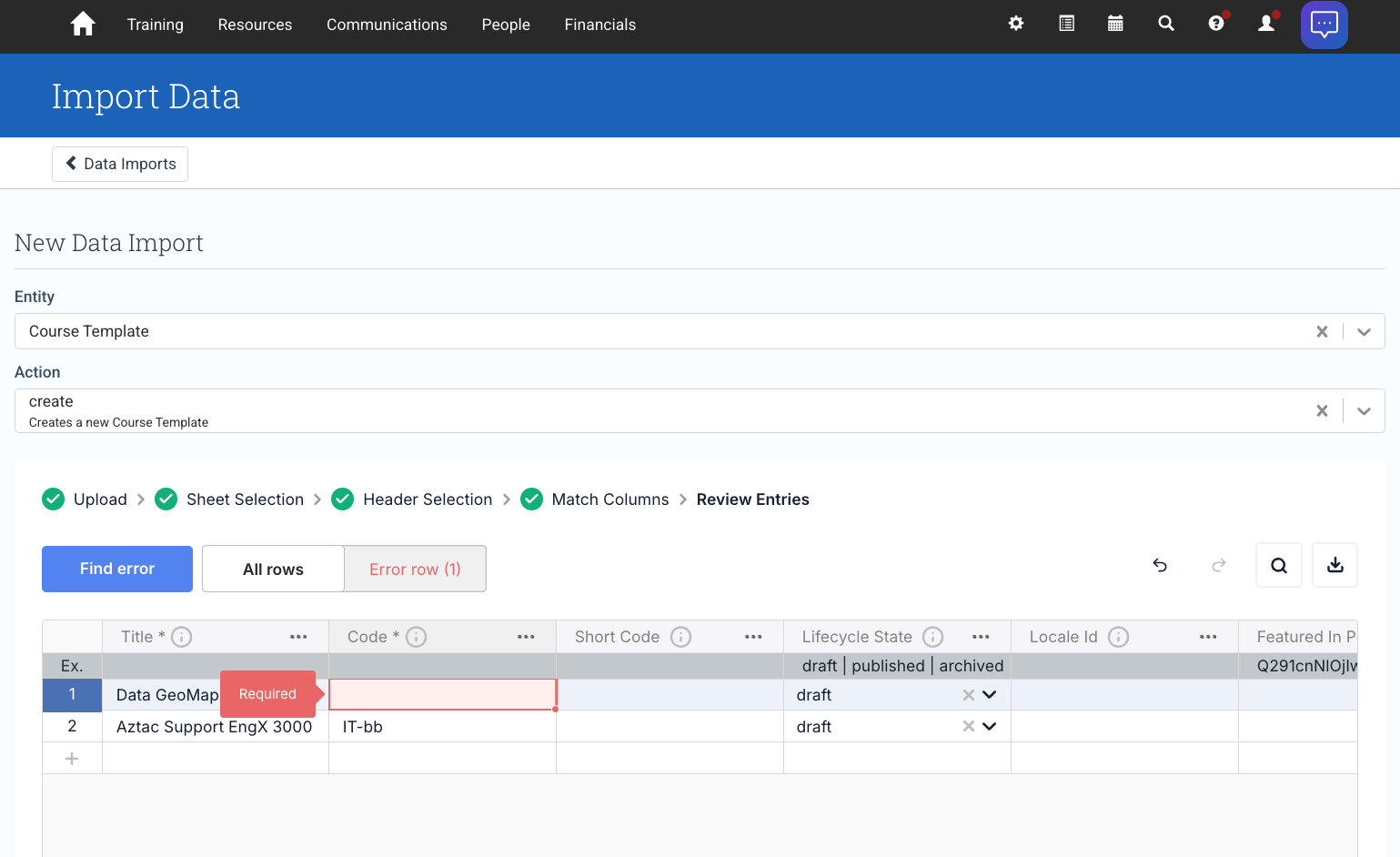
- If a required column is missing from your file, Import Data will automatically add it and mark it as required.
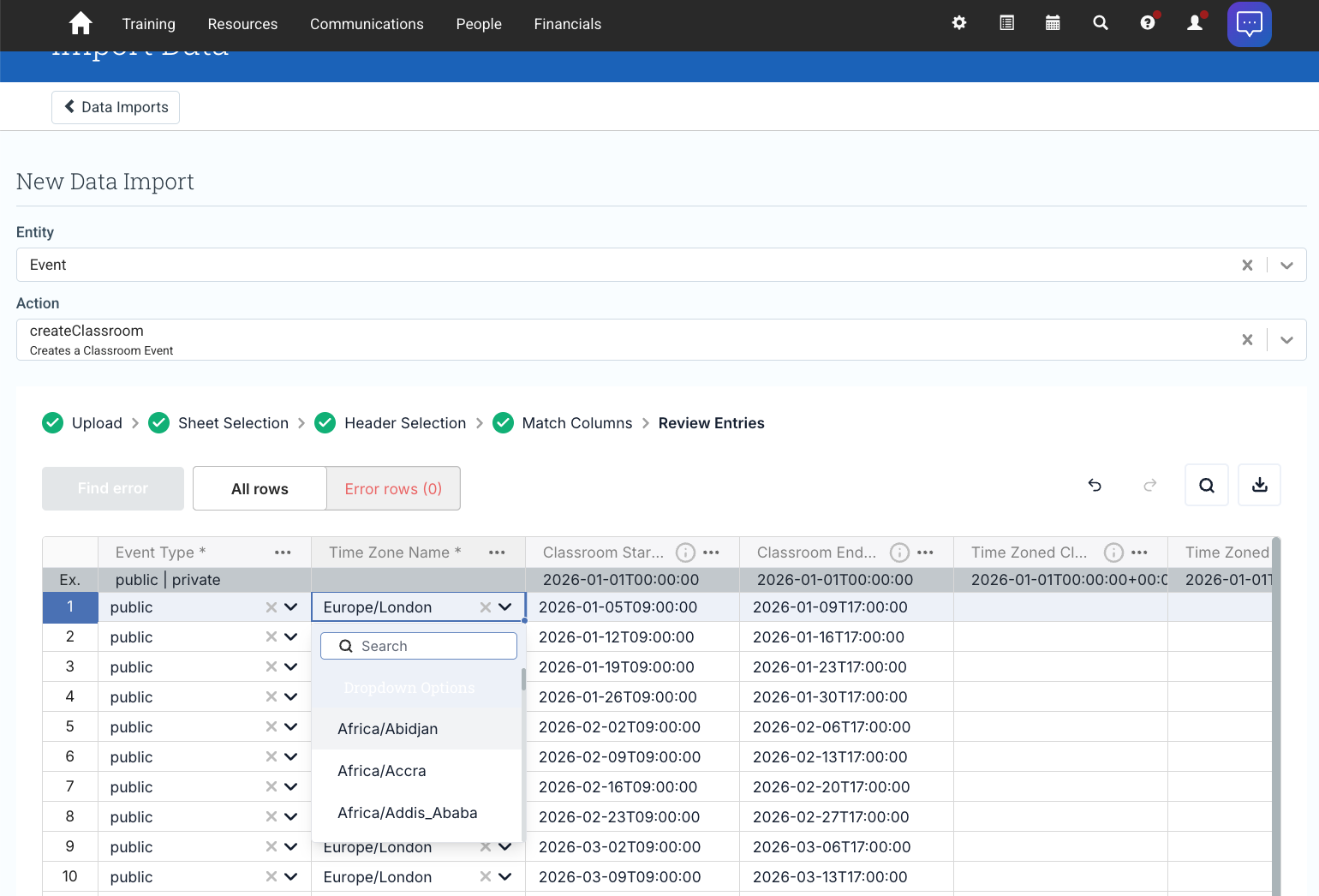
- Related fields like Phone Numbers, Addresses, and Emails have been simplified. For example, Mobile Number and Landline Number now replace four separate fields.
- Import Data now validates your data as you import it, flagging issues like invalid email addresses or incorrect Province Code formats before the import runs.
We’ll be rolling this out on Tuesday the 16th of June and will share more guidance via the Support Portal as it becomes available.
Defects Resolved
- Fixed an issue where Self Paced Events failed to sync updates to Docebo due to a missing language parameter.
- Fixed an issue where selecting Personnel for multiple roles in the Scheduler would remove previously selected Personnel.