Coming up
Both of the following changes arrive on Monday 5 October.
The Instructor tab is going away
An instructor in Administrate is an ordinary Contact, or an individual Account, carrying one extra tab. That Instructor tab is being retired.
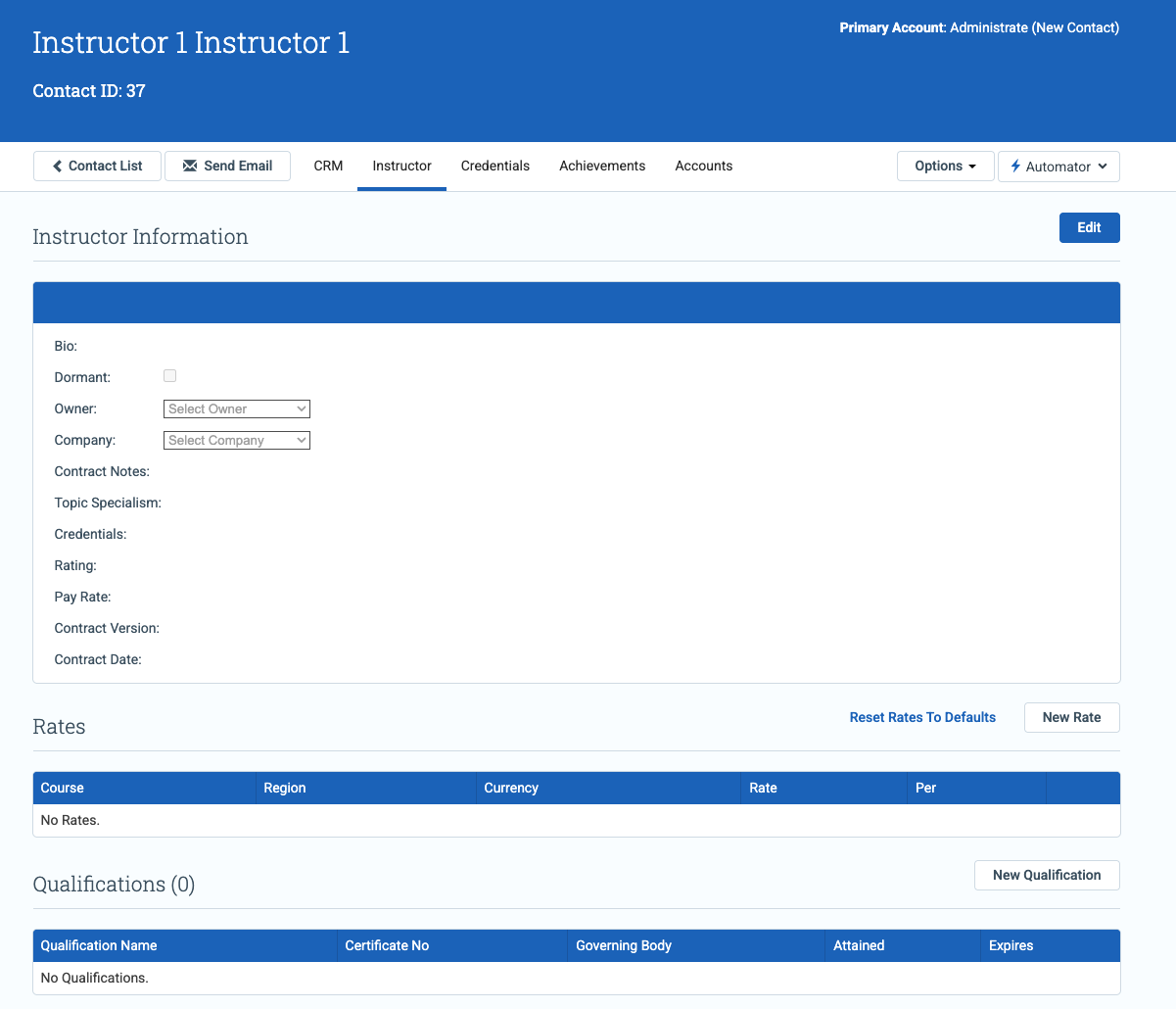
Instructor Rates is not going away. It moves to the CRM tab, and existing Instructor URLs redirect there.
Instructor Information and the legacy Qualifications table are both retired. Qualifications is superseded by Achievements on Personnel, which is what Administrate checks when it matches people against a course’s role requirements.
An updated Accounts page
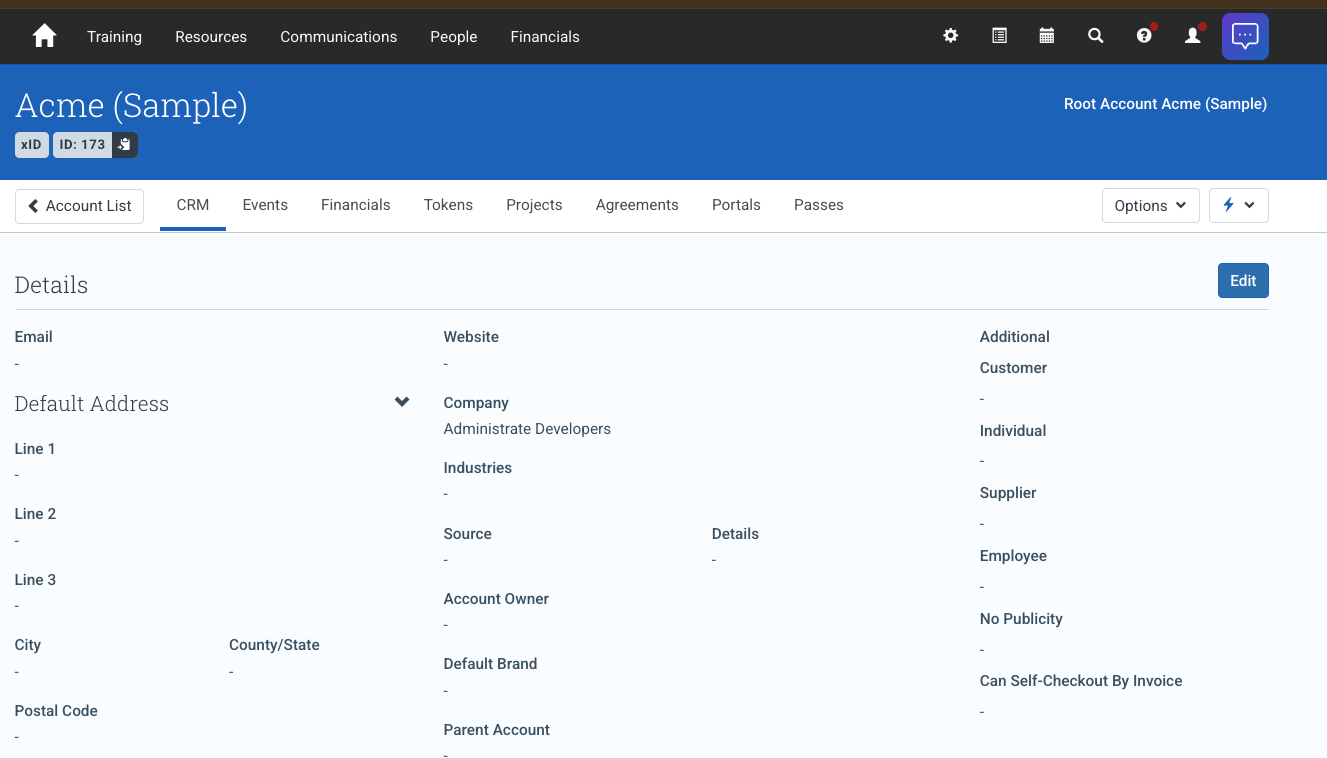
The Account header now carries both of an Account’s IDs, its xID and its Account ID, both copyable in a click. Several tabs are renamed to match the language used across the rest of Administrate, so Training Passes becomes Passes.
Inside an Account, the Contacts table gains a search, so you can pick out one Contact without paging through the whole list.
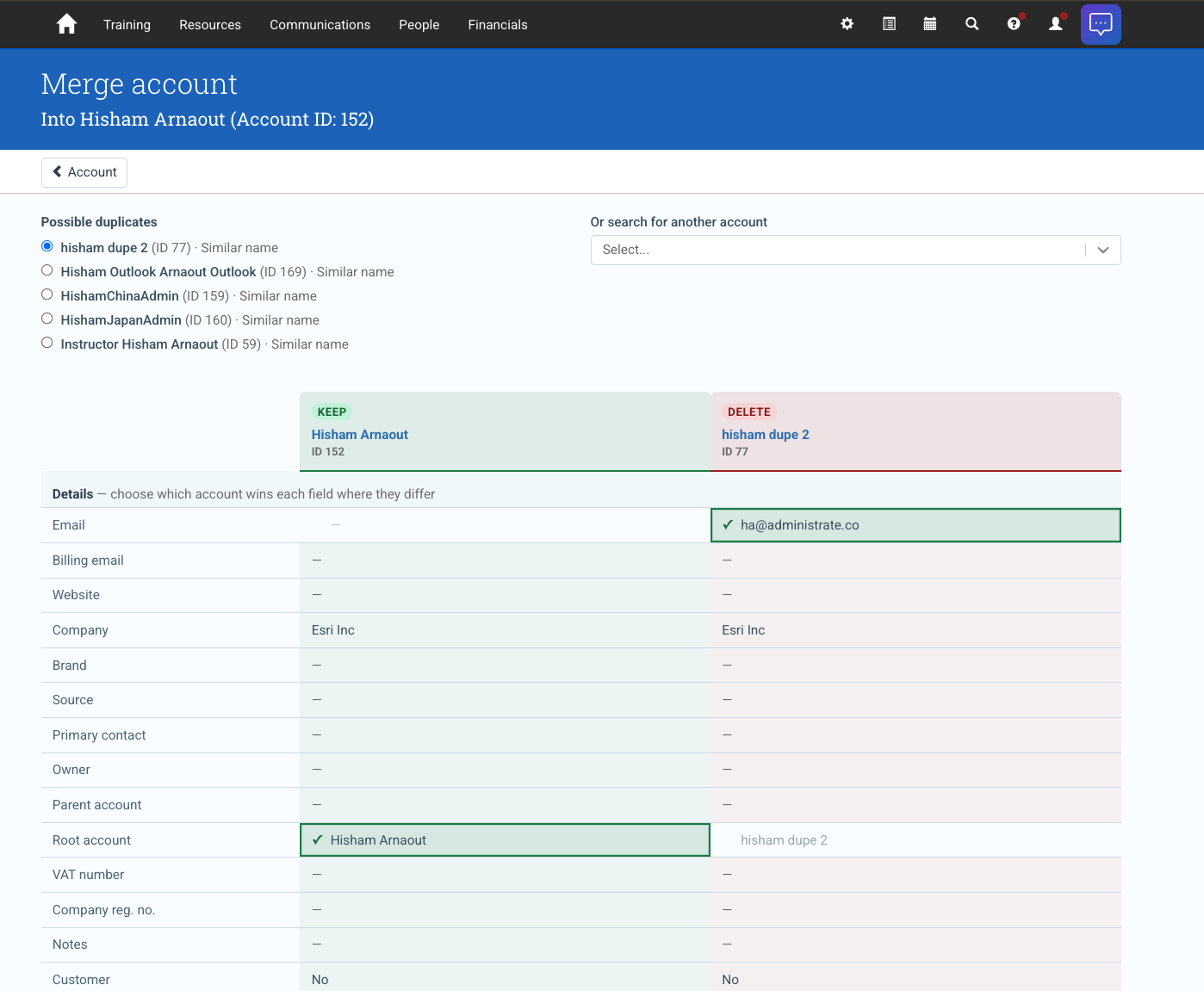
You can also merge Accounts from the Account screen itself, rather than through the Import Data tool or the GraphQL API. Administrate offers the likely duplicates, and you settle which Account wins each field before the merge runs.
Product Update
- Added GraphQL mutations for Message Center enquiry and form submission actions, covering assignment, replies, Tasks, marketing lists, dead reasons and deletion.
- Integration logs now include the vendor’s error response and the request URL, so a failed run shows which call failed and why instead of just “Bad Request”.
Fixes
- Fixed full and sold out Events appearing as options when transferring students.
- Fixed the Upcoming Events dashboard widget timing out for tenants with very large numbers of Events by paginating the issues list.
- Fixed the misleading Personnel issue labels on the Training Dashboard, which described the count as conflicts when it covers more than that.