Administrate General Release Notes
Coming Next Week
We’re introducing hour-level precision for Triggers, giving you more control over when communications are sent.
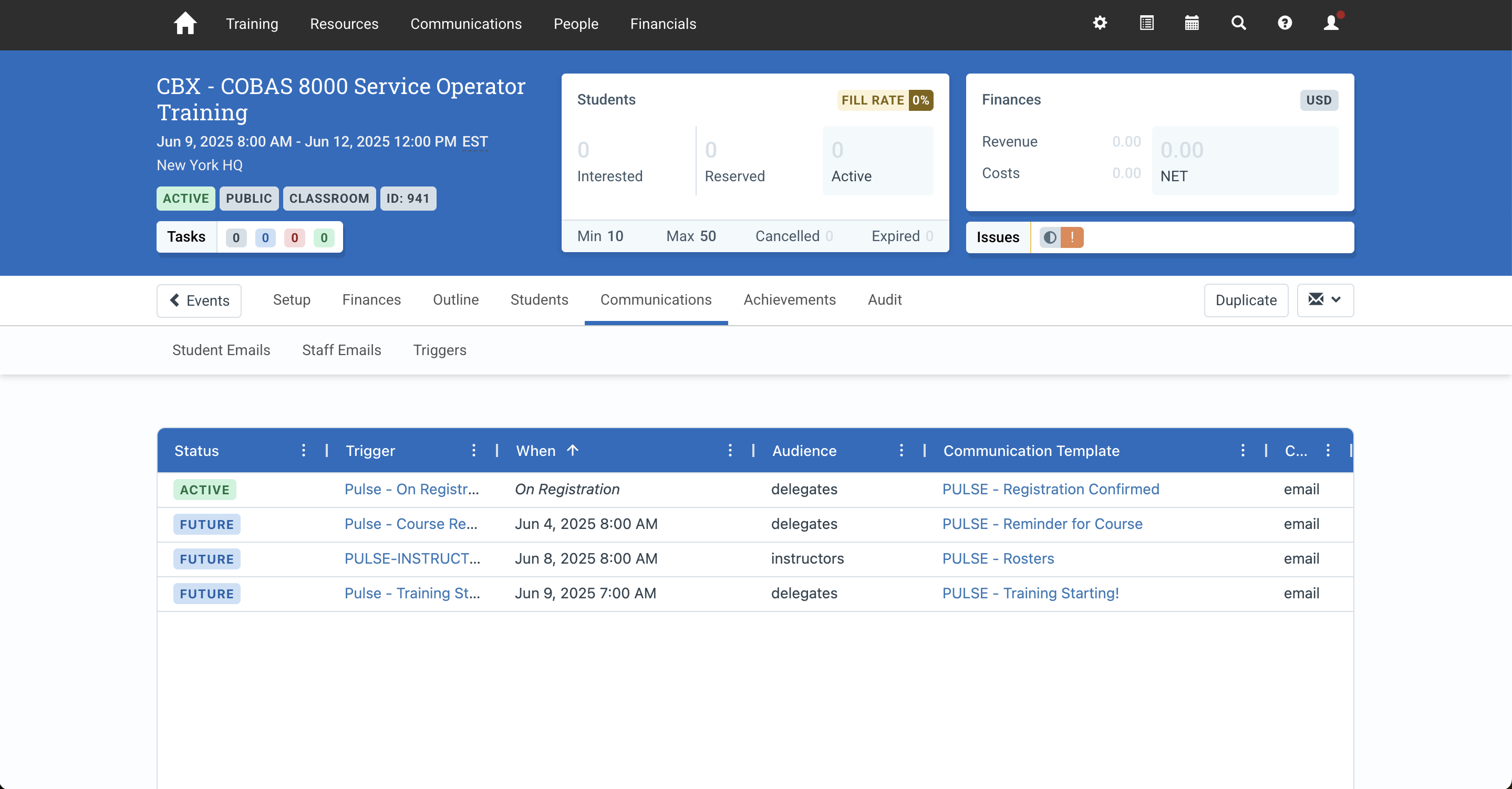
What’s coming?
You’ll be able to:
- Set Triggers using hours, days, or a combination (e.,g 1 day and 2 hours before)
- View precise timing details like “2 hours before the event” or “Jun 8th at 8:00 am” in the Event Communications tab.
- Clone Existing Triggers to save setup time
- Continue using all existing day-based Triggers without disruption
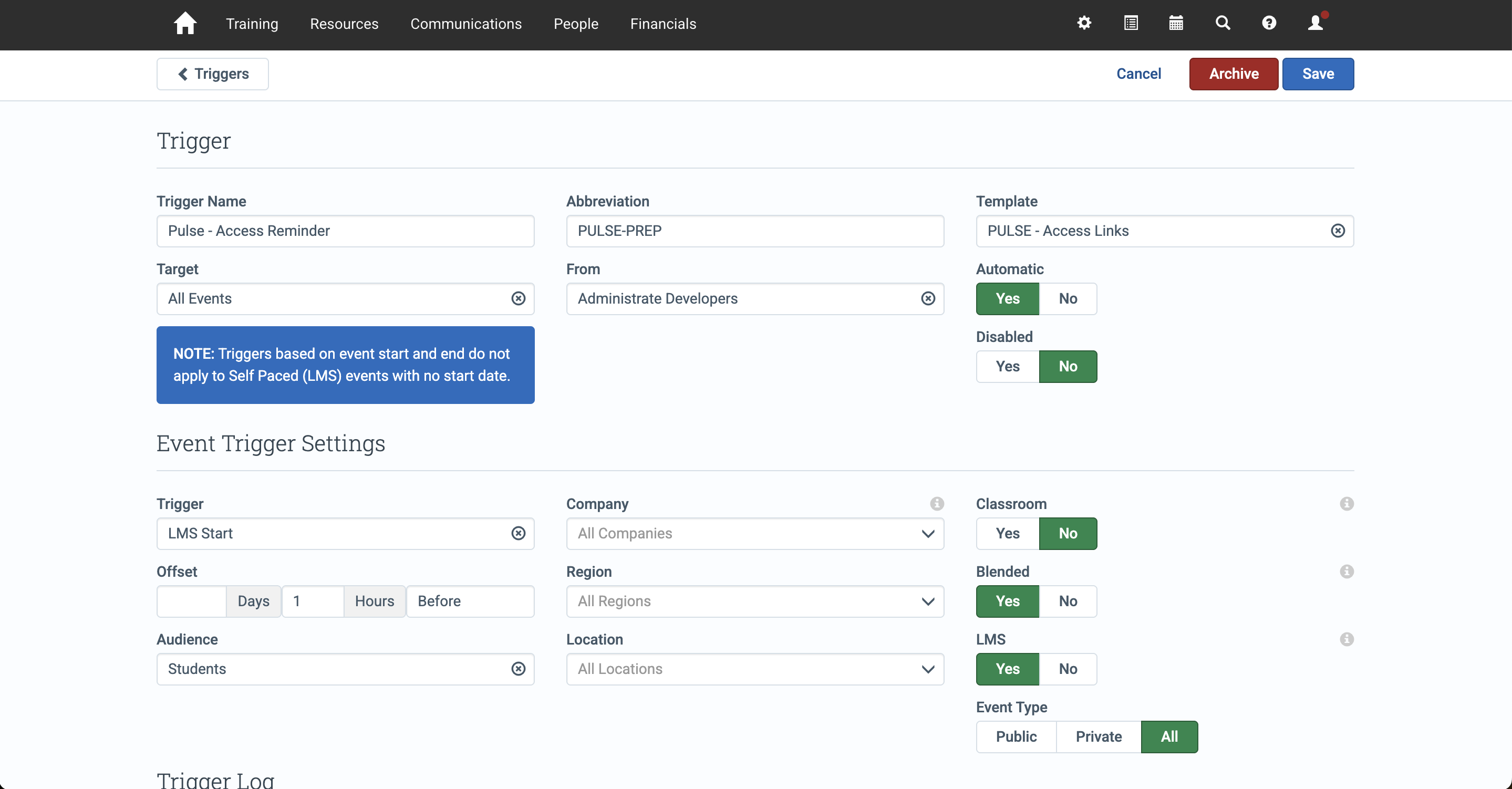
Why does this matter?
With more control on timing, you can send communications exactly when users need them most, increasing the chances they’ll see, act and engage.
- For Webinars or virtual training, reminders sent 1-2 hours before help reduce no-shows by reaching attendees right when they’re likely to check their calendars or inboxes
- For feedback surveys, sending them shortly after an Event ends captures responses while the experience is still fresh.
- For global events, hour-specific scheduling ensures messages are sent out at a relevant time in each user’s timezone, not a 3 am by mistake.
- For expiring subscriptions or passes, timely alerts just before expiration can drive last-minute renewals.
Rolling out next week - we’ll share full release details and documentation when it’s live.
Defects Resolved
- Fixed the Event Communications tab to correctly resend emails to Communication Contacts added after the original send.
- Fixed an issue where large file downloads in DMS failed due to a file size limitation.
- Fixed Super Company User permissions to ensure Opportunity Edit access is applied across all Companies.
- Fixed an issue where Excel reports failed to display columns when column totals were enabled.
- Fixed an issue where emails from Triggers set to “Automatic: No” and in a HOLD status appeared in the Event Audit tab.
- Fixed an issue where failed emails were not shown on the Event Audit timeline.