Administrate General Release Notes
What’s New?
Completion Thresholds for Achievements
You can now configure self-paced Achievements to trigger at a specific completion threshold, e.g., when a Learner completes a certain percentage of a video.
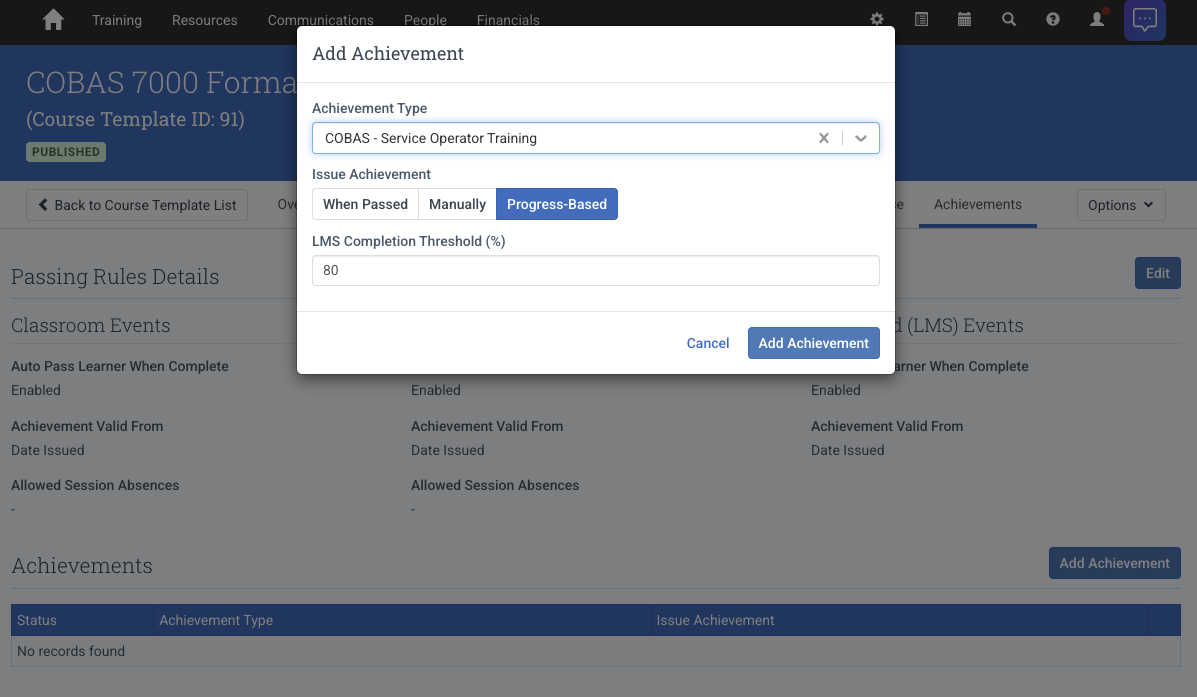
Steps are simple:
- From a Course Template or an Event, Add the Achievement
- Set it to Progress-Based
- Set the Completion Threshold and click Add Achievement
This is helpful because completion tracking isn’t always perfect. Learners may finish at 99% instead of a 100% due to SCORM limitations, network issues or skipped slides. It removes the back and forth between Learners and Admins about missing completion credit. Admins can now set thresholds that account for these edges while ensuring Learners get proper credit.
Learn more about Achievements in Administration here.
Filter and Sort on Learning Path Learners Tab
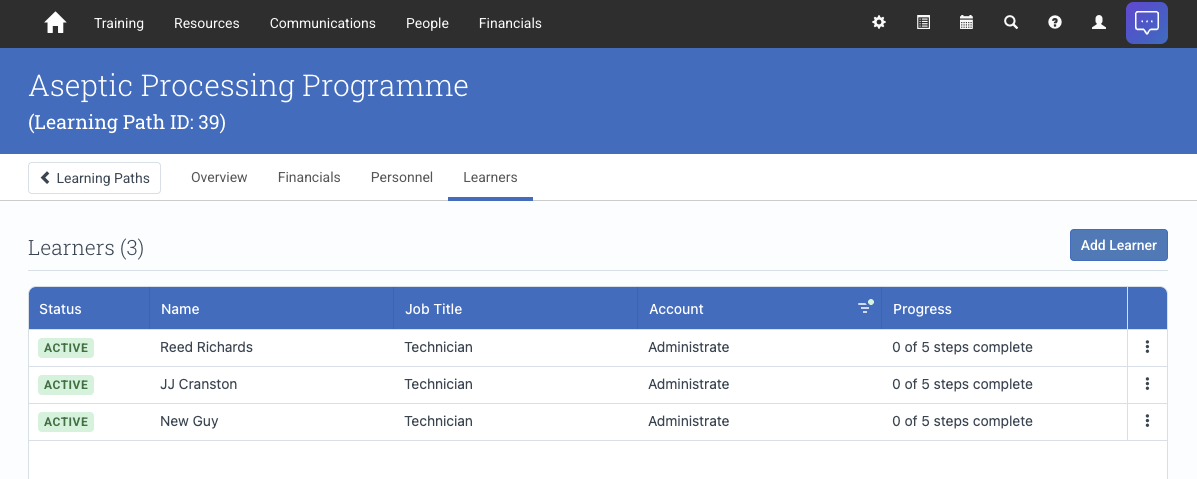
The Learning Path Learners tab now supports filtering and sorting by key fields such as status, Learner name, and Account.
Events
- You can now add Private Event interests through Bookings.
- Private Events can now be associated with an Account Project from the event setup screen, this will lock the Event’s region and currency to the Project’s.
Defects Resolved
- Fixed an issue where the Preview LMS button on Events redirected to the login page instead of logging you into the LMS anonymously.
Additional Updates
Developer Experience
Defects Resolved
- Ordering Webhooks by lifecycleState now correctly returns the Webhooks in the order active, disabled, inactive (or reversed if descending is selected)
- Account projects can now be filtered by lifecycleState