Purpose: Use this article to configure the Personnel & Resources area of a Course Template.
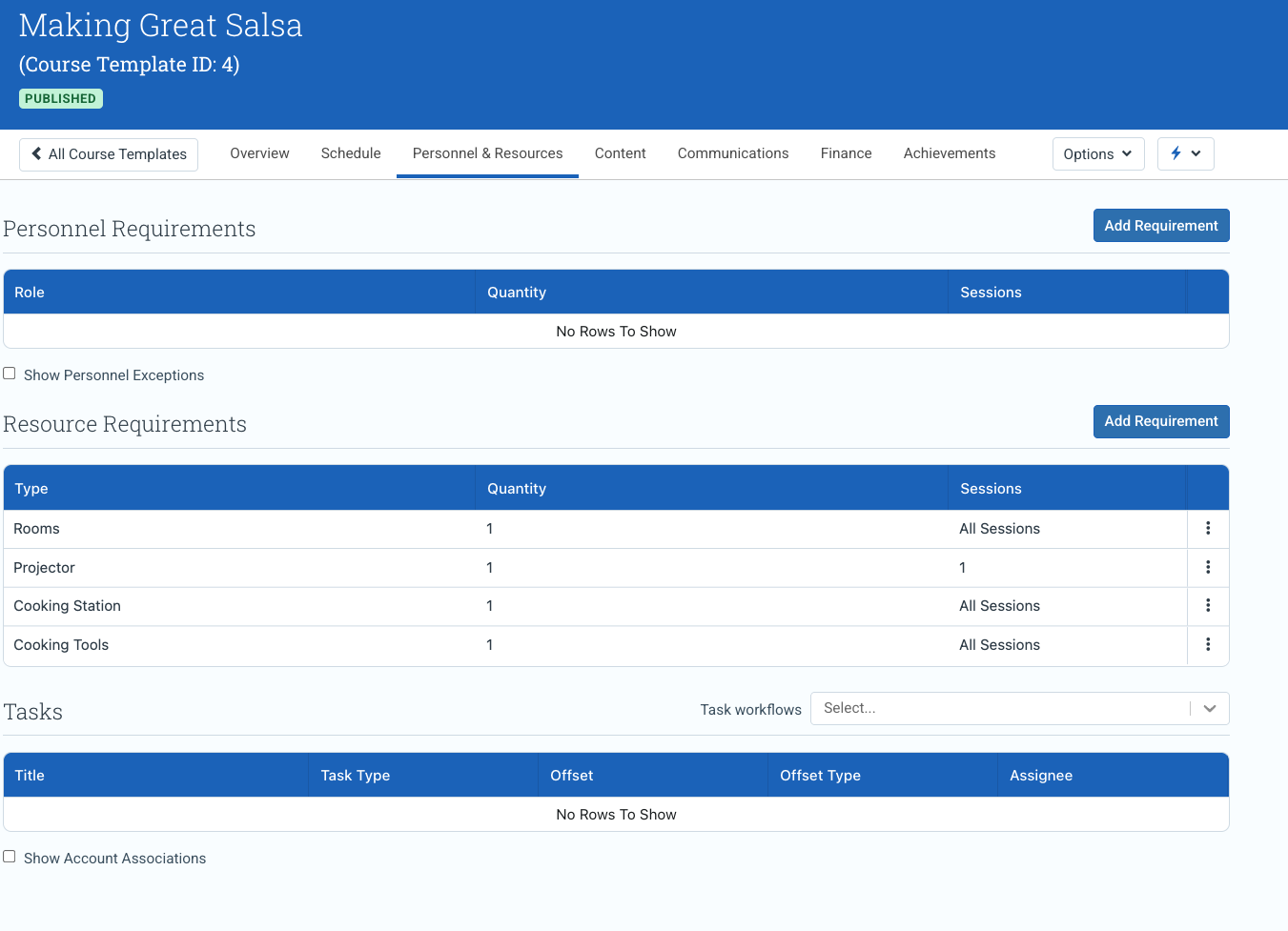
The Personnel & Resources tab defines the staffing, qualification, logistical resource, and operational task requirements associated with a Course Template.
These settings help ensure that future Events inherit the correct delivery structure, personnel requirements, resource requirements, and operational workflows.
For the broader Course Template model and navigation across all tabs, see Understanding Course Templates.
In this article
- What the Personnel & Resources tab controls
- Personnel Requirements
- Role and Achievement requirements
- Filtered booking
- Personnel exceptions
- Scheduler behavior
- Resource Requirements
- Resource inheritance
- Tasks
- Task workflows
- Account Associations
- Template vs Event behavior
- Best practices
- Related Course Template guides
What the Personnel & Resources tab controls
The Personnel & Resources tab defines the operational delivery requirements associated with a Course Template.
This includes:
- personnel role requirements
- required Achievements and qualifications
- resource and equipment requirements
- delivery staffing structure
- task workflows
- account associations
- delivery preparation requirements
These settings are inherited by future Events created from the Course Template, including private Events created from a Booking Interest.
Personnel Requirements
Personnel Requirements define the staffing structure required to deliver the course.
Use Personnel Requirements to:
- define role requirements once at the Course Template level
- ensure Events inherit consistent staffing rules
- support scheduling across all delivery roles
- filter booking to qualified personnel
- assign operational responsibilities consistently
Role and Achievement requirements
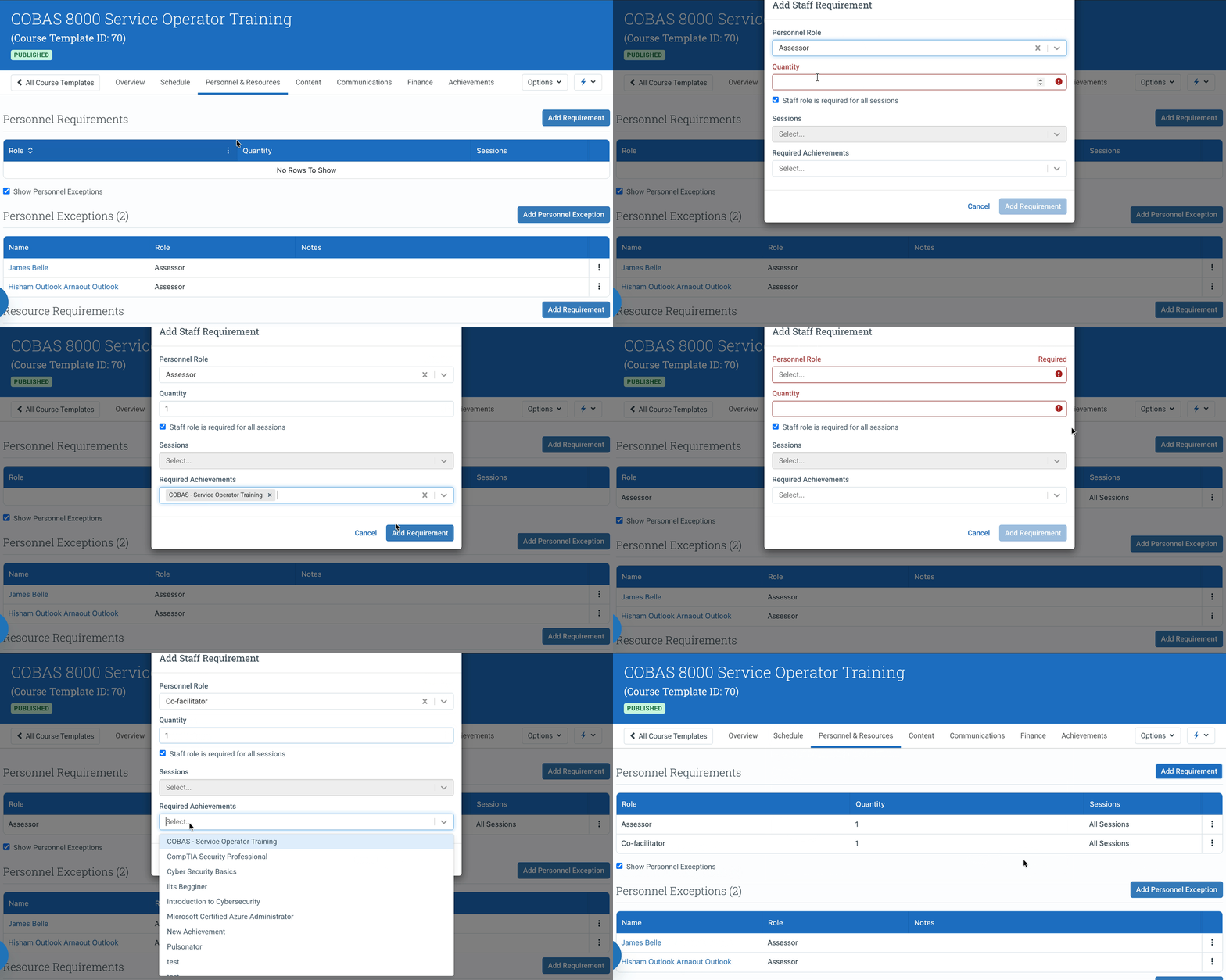
You can define both:
- how many people are required for a role
- which Achievements (qualifications) they must hold
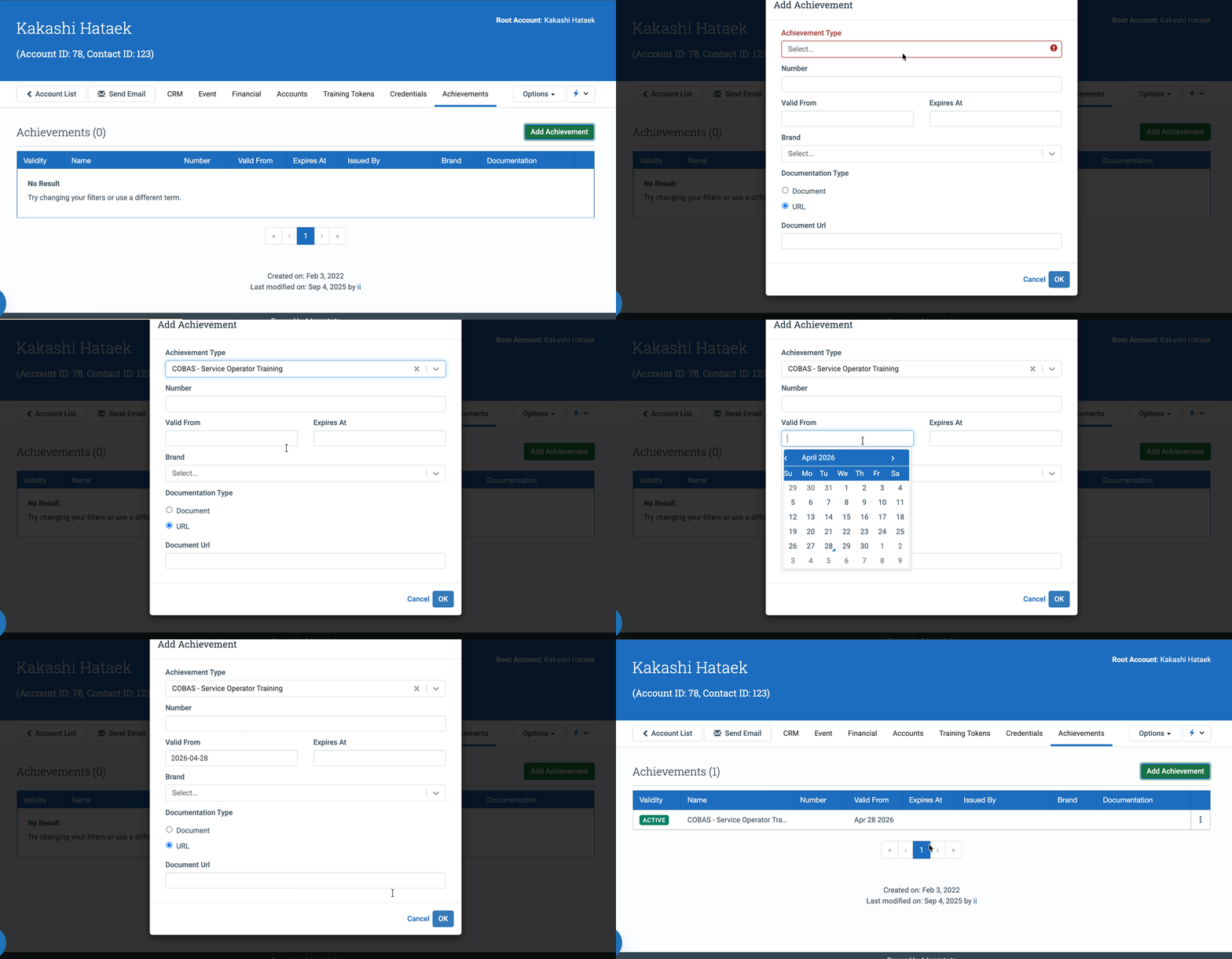
Achievements act as qualification requirements associated with Personnel records.
Examples may include:
- Lead Instructor
- Assistant Instructor
- Facilitator
- Coordinator
These requirements are inherited by future Events created from the template.
Filtered booking
When assigning personnel to an Event, Administrate filters the booking list based on role and Achievement requirements.
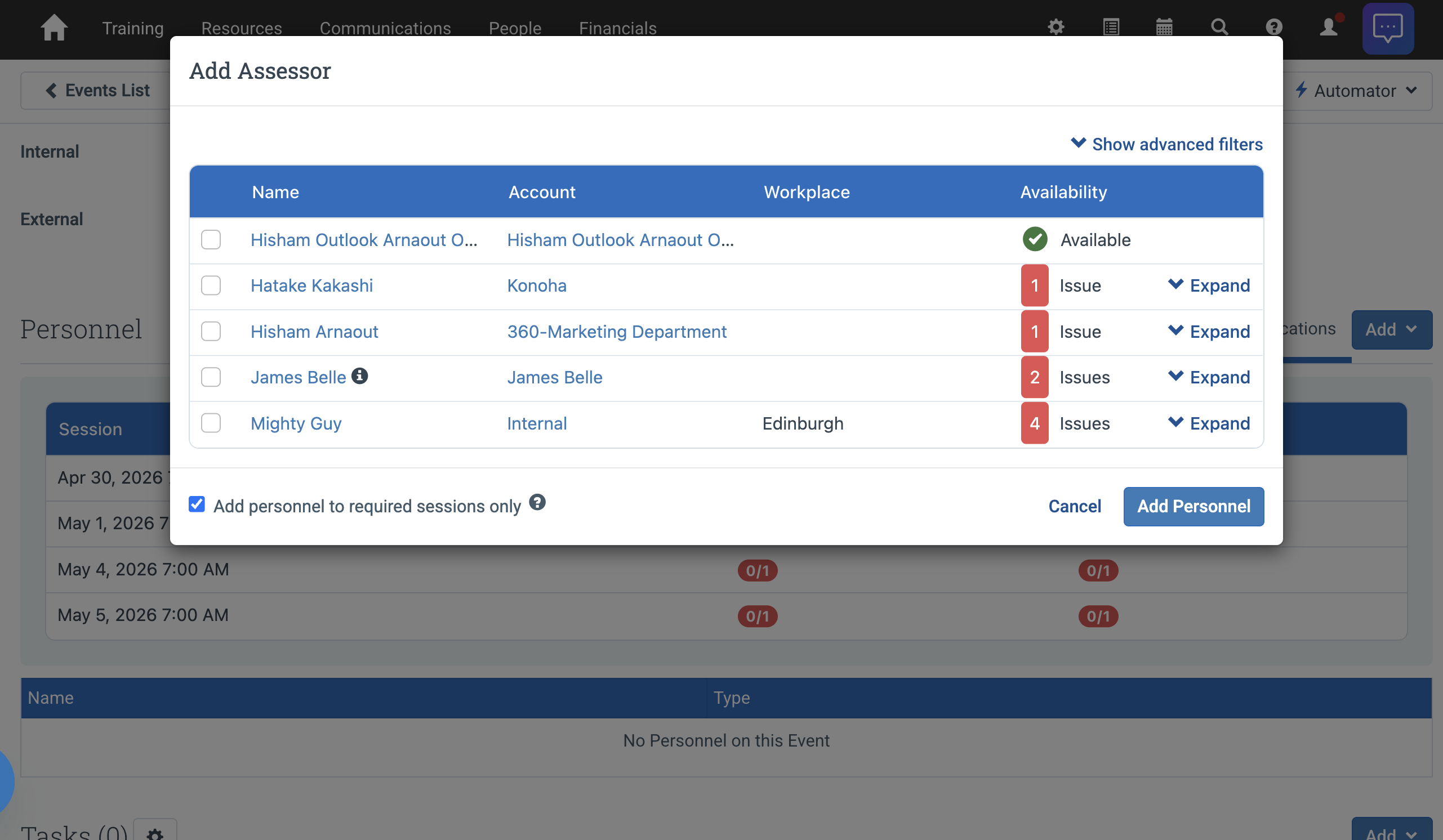
This helps administrators identify qualified personnel more quickly.
Alerting Administrators when Requirements aren’t met.
Administrators can still override requirements when needed, and the system will display an issue on the event and dashboard when personnel do not meet the achievement requirement criteria when being assigned to the event and when on the event itself.
The system will determine if someone meets the achievement requirement criteria based on if that person will still be qualified when the event goes ahead - this means you could be booking that person months in advance and they may not currently have the nessesary achievements, but if they are in the system scheduled for training that will earn them the nessesary achievement, then we will show them as qualified so you can carry on with your booking.
Personnel exceptions
A Personnel Exception approves a specific person for a specific Staff Role on this Course Template, treating them as qualified for it without the role’s achievement requirements. This feature was previously called Approved Instructors; it is the same list.
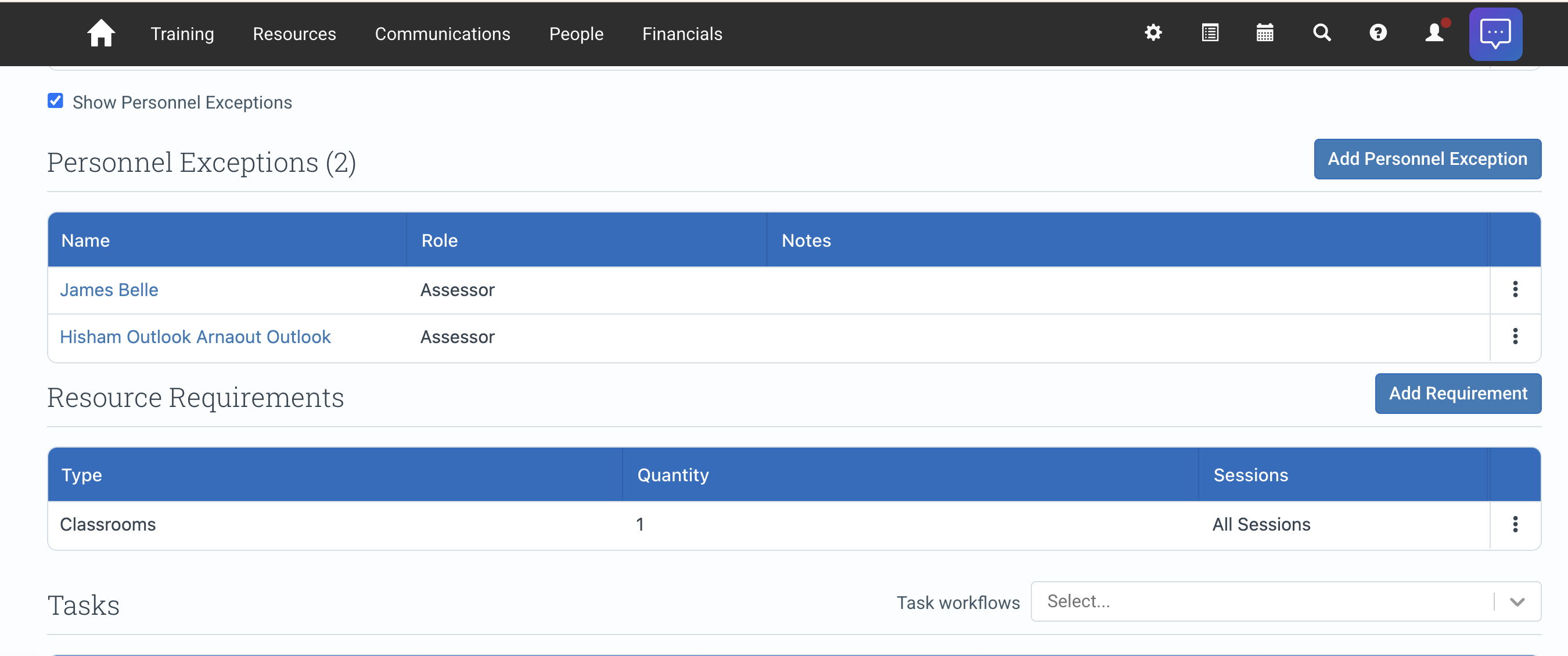
Two things define an exception:
- It is tied to one of the person’s existing Staff Roles. You grant the exception against a role the person already holds; if that Staff Role is later removed from the person, the exception goes with it.
- It is specific to this Course Template. An exception on one template does not apply to any other.
How exceptions affect who is offered
The effect depends on whether the Staff Role also has achievement requirements on this template:
- The role has achievement requirements: exception members are offered in addition to everyone who meets the requirements. The exception widens the pool.
- The role has no achievement requirements: the exception list becomes the default pool by itself. The scheduler offers only the listed people, and the event’s Add Personnel screen defaults to showing only them. In this case the list effectively narrows staffing to your approved people.
In the event’s Add Personnel screen you can always switch the qualification view to All to see everyone who holds the role. Assigning someone who does not meet the requirements shows a warning marker; exception members are marked as part of the exception list. The Scheduler’s instructor pickers work the same way: approved instructors are the default list, with an Include unapproved instructors option to widen it.
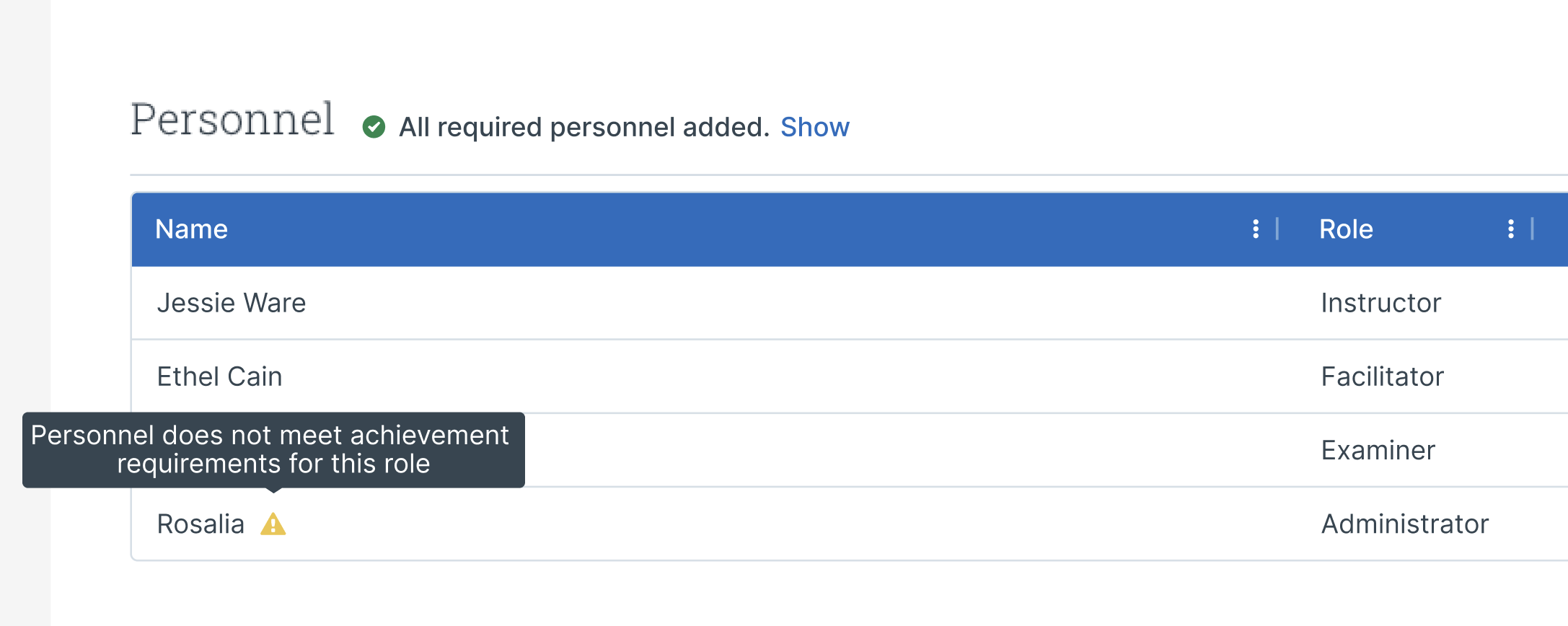
If an approved person does not appear when staffing an event
Check, in order:
- You are staffing the same Staff Role the exception was granted for; exceptions are per-role.
- The event was created from the Course Template that carries the exception.
- The person still holds that Staff Role; removing the role also removes the exception.
- In Add Personnel, switch the qualification view to All; the person may be filtered by the default qualified-only view for a different role’s requirements.
Course approvals and exceptions are applied by the staffing surfaces: the event’s Personnel tab and the Scheduler. The instructor list offered while initially creating an event is a general list of instructors, so if someone you approved is not offered there, create the event and assign them from the event’s Personnel tab.
Scheduler behavior
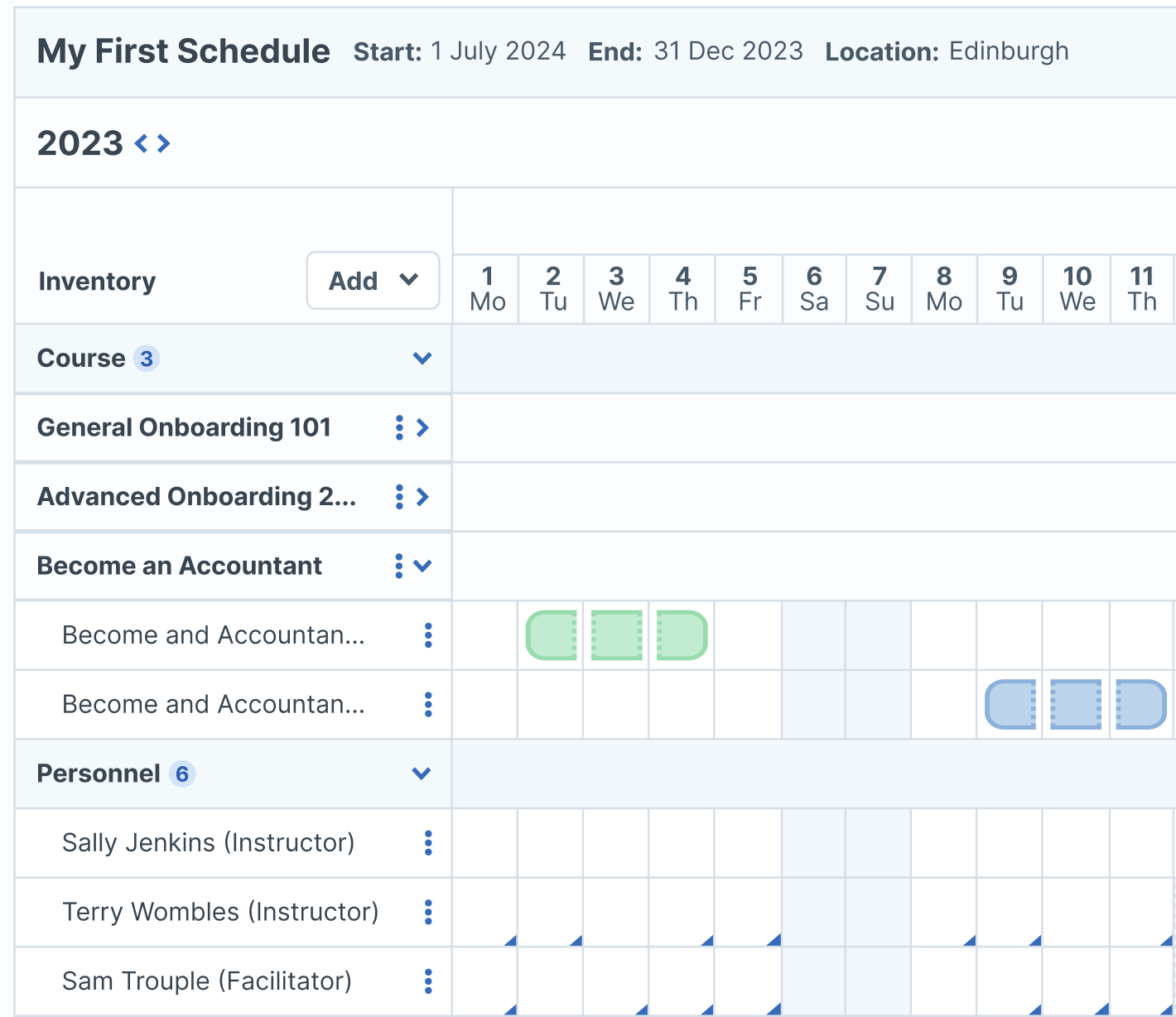
The scheduler evaluates:
- personnel availability
- role requirements
- Achievement requirements
- Personnel exceptions (see How exceptions affect who is offered)
- resource requirements
This allows Administrate to support more accurate operational scheduling across the full delivery structure.
Resource Requirements
Resource Requirements define the equipment, rooms, and logistical resources normally required to deliver the course.
Examples may include:
- training rooms
- projectors
- specialized equipment
- hardware
- course materials
These requirements are inherited into future Events created from the Course Template.
Resource inheritance
When an Event is created from a Course Template, resource requirements can be inherited automatically.
This helps:
- standardize delivery preparation
- reduce manual setup
- support operational consistency
- improve delivery readiness
Administrators can still modify Event resources when individual deliveries require exceptions.
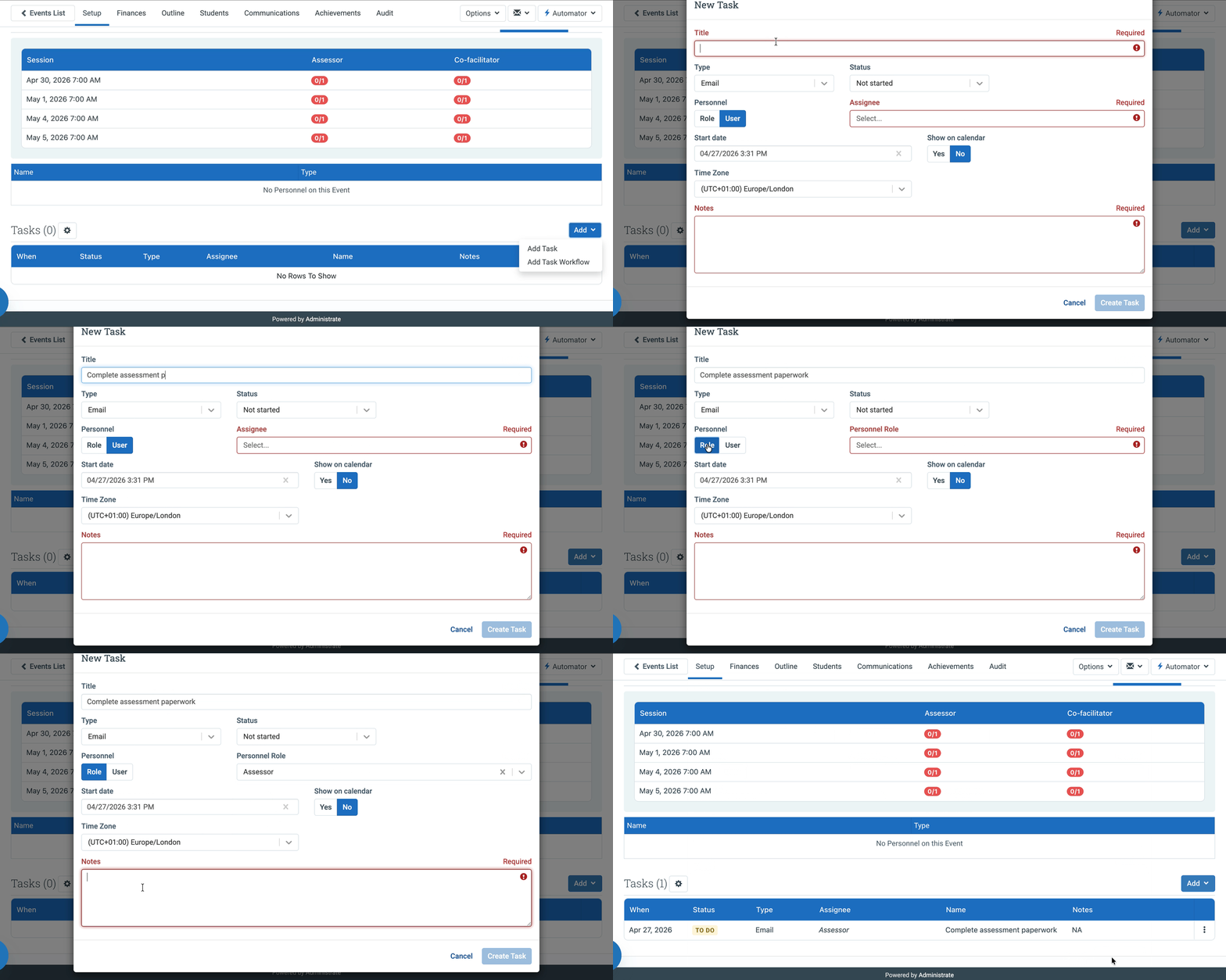
Tasks
The Personnel & Resources tab also supports operational task management associated with Course delivery.
Tasks help administrators:
- assign operational responsibilities
- track delivery preparation work
- standardize recurring operational activities
- associate tasks with delivery roles
Task workflows
Tasks can be assigned to:
- specific personnel
- roles
- workflow structures
When tasks are assigned to roles:
- task ownership follows the assigned role
- reassigning personnel updates task ownership
- delivery operations remain aligned with staffing changes
This supports operational continuity throughout Event delivery.
Account Associations
Account Associations help organizations connect Course delivery requirements to specific customer or operational relationships.
These associations can help support:
- customer-specific delivery requirements
- account-linked operational workflows
- organizational delivery structures
Available behavior depends on your organization’s Administrate configuration.
Template vs Event behavior
- Course Template settings define reusable operational defaults.
- Event settings define the actual delivery assignments and operational setup for a specific scheduled delivery.
If a requirement applies to all future deliveries of the course, configure it on the Course Template.
If the requirement applies only to one scheduled delivery, configure it on the Event instead.
Note
Changes made to Course Template Personnel & Resources settings affect future Events created from the template. Existing Events keep the inherited structure already copied into the Event.
Best practices
- Define staffing and resource requirements before creating Events.
- Use Achievements to control qualification requirements.
- Use role-based task assignment when possible.
- Review inherited personnel and resources before publishing Events.
- Update Course Template operational requirements whenever delivery expectations change.