Purpose: Use this article to understand how Course Templates work in Administrate, how they relate to Events, and where to go for detailed guidance on each Course Template tab.
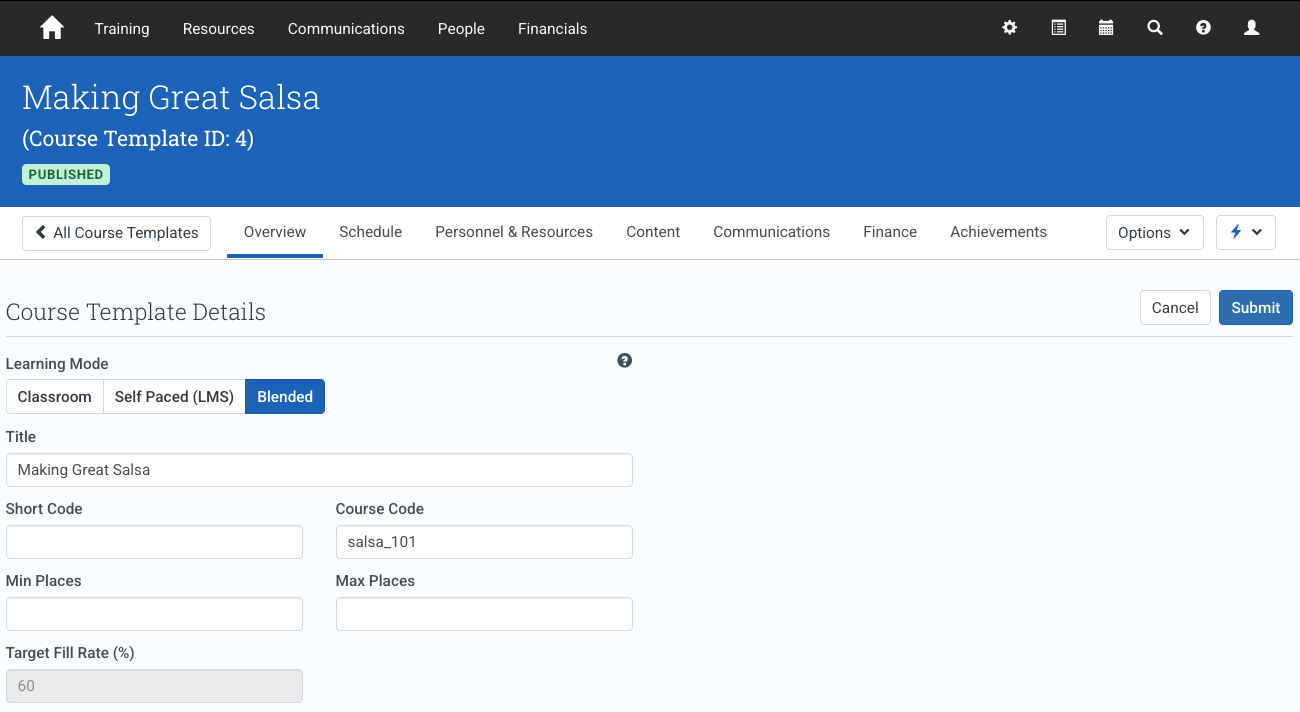
The Course Template Screen is where you define the reusable structure, defaults, and course-level settings that support future Event creation in Administrate.
A Course Template is not a scheduled delivery. Instead, it is the reusable course record that defines how Events should begin: what the course is called, how it is described, what content it includes, what resources or personnel it usually needs, how it is priced, and what achievements it can issue.
In this article
- What Course Templates are for
- Course Template versus Event
- How the Course Template screen is structured
- Typical Course Template workflow
- Course Template operational guides
- Related guides
What Course Templates are for
Course Templates define the reusable course-level structure behind future Events. They help administrators standardize how repeated deliveries of the same course are created, configured, priced, staffed, and completed.
Use Course Templates for:
- defining the reusable course record behind future Events
- setting default course structure and delivery requirements
- organizing course metadata and learner-facing descriptions
- configuring content, schedule, resources, finance, communications, personnel, and achievements
- maintaining consistency across repeated deliveries of the same course
Course Templates are especially useful when the same course is delivered multiple times, because each new Event can begin from a consistent template rather than being built from scratch.
Course Template versus Event
A Course Template defines the reusable course-level structure. An Event is the specific scheduled delivery created from that template.
- Course Template: reusable defaults, descriptions, structure, and rules
- Event: dates, learners, attendance, results, finances, and activity for a live delivery
Note
If a change should apply to future deliveries of the course, update the Course Template. If the change applies only to one scheduled delivery, update the Event instead.
For a broader explanation of the relationship between courses, templates, and scheduled deliveries, see Courses, Course Templates, and Events: Structure and Inheritance.
How the Course Template screen is structured
The Course Template screen is organized into tabs. Each tab controls a different set of reusable course-level settings.
Overview tab
The Overview tab defines the identity and catalog-facing information for the course. Use it to manage course title, code, descriptions, and discovery metadata.
Detailed guide: Course Template: Overview tab
Personnel tab
The Personnel tab defines the roles required to deliver a course, including how many people are needed for each role and what Achievements or qualifications they must hold. You can optionally assign default personnel, but many organizations define requirements at the template level and assign people at the Event level.
Detailed guide: Course Template: Personnel tab
Content tab
The Content tab defines the instructional structure and learning materials associated with a Course Template. Content configured at the template level provides the baseline structure for Events created from the template.
Detailed guide: Course Template: Content tab
Schedule tab
The Schedule tab defines the standard session structure for the course. This schedule can be copied into Events when new deliveries are created.
Detailed guide: Course Template: Schedule tab
Communications tab
The Communications tab controls the messaging framework associated with the course. It supports the communication structure used by future Events.
Detailed guide: Course Template: Communications tab
Resources tab
The Resources tab defines the equipment, rooms, and other physical or logistical resources typically required to deliver a course. These settings help new Events begin with the correct delivery setup.
Detailed guide: Course Template: Resources tab
Finance tab
The Finance tab defines default pricing and financial behavior for the course. These settings can be inherited by future Events and then adjusted if needed.
Detailed guide: Course Template: Finance tab
Achievements tab
The Achievements tab defines the certifications, achievements, or completion credentials associated with the course. These rules determine what learners can earn when they successfully complete Events created from the template.
Detailed guide: Course Template: Achievements tab
Typical Course Template workflow
A common Course Template setup workflow is:
- Use Overview to define the course identity and catalog details.
- Use Personnel to define delivery roles, staffing requirements, and qualification requirements.
- Use Content and Schedule to define what the course contains and how it is structured.
- Use Communications, Resources, and Finance to set delivery defaults.
- Use Achievements to define completion outcomes.
- Create Events from the template when you are ready to schedule delivery.
This workflow is a guide, not a required order. Some organizations configure finance, resources, communications, or achievements earlier depending on their operational process.
Course Template operational guides
Use the following guides for detailed setup and field-level behavior for each Course Template area.
- Course Template: Overview tab
- Course Template: Personnel tab
- Course Template: Content tab
- Course Template: Schedule tab
- Course Template: Communications tab
- Course Template: Resources tab
- Course Template: Finance tab
- Course Template: Achievements tab
Related guides
- Courses, Course Templates, and Events: Structure and Inheritance
- Configure Course Template fields and descriptions